

If you’ve ever sat through Crunchyroll ads, you know how brutal it gets. The same ad repeats again and again, usually two or three times in one break. That’s why so many people search things like “Crunchyroll AdBlock” or “AdBlock Crunchyroll,” hoping there’s a way around it.
Crunchyroll really pushes Premium, and fair enough, that’s how they make money. But not everyone wants another monthly bill. For people trying to keep anime free, it usually comes down to finding an ad blocker that works. The problem is, sometimes you hit “AdBlock not working on Crunchyroll” and feel like nothing works anymore.
So let’s cut through the noise and look at what actually works in 2025—and what’s just a waste of time.
What doesn’t work anymore
Mobile app AdBlock
If you’re using the Crunchyroll mobile app, don’t bother. No AdBlock for Crunchyroll will crack that. Unless you’re Premium, ads are baked into the app.
Mobile browsers
Watching Crunchyroll in a mobile browser is a toss-up. On iOS, it usually forces you to use the app anyway. You might dodge it on Android, but most mobile browser ad blockers are patchy now.
Basic Chrome extensions
Many old guides suggest AdBlock Plus or uBlock Origin on Chrome. In 2025, Crunchyroll has gotten better at fighting them. You’ll see black screens, broken playback, or ads still slipping through. They’re not totally useless, but they’re nowhere near as reliable as they once were.
What actually works in 2025
Chrome with Total AdBlock
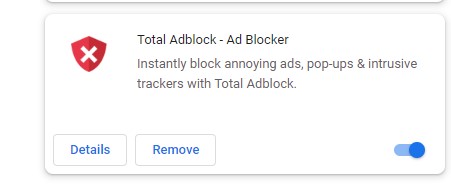
On desktop, Total AdBlock is still strong. It blocks most Crunchyroll ads cleanly. Some people use the free version, and some use the paid version. It depends on how consistent you want it. But it’s one of the better options right now.
Firefox with uBlock Origin
Firefox users still have a decent edge. uBlock Origin works smoother there than on Chrome, and Crunchyroll hasn’t managed to break it fully yet. If you’re already a Firefox fan, this is a good pick.
Poper Blocker
Another option is Poper Blocker, which strips out popups and overlays. It’s lighter than something like Total AdBlock, and still handles most Crunchyroll ad interruptions. Not perfect, but simple to set up and gets the job done.
Ghostery
If you care about privacy as much as ads, Ghostery still works as both a tracker blocker and an ad blocker. It runs on every major browser and keeps Crunchyroll relatively smooth.
AdGuard
AdGuard works at the system level instead of just in your browser for a bigger hammer. That means ads disappear across apps and browsers. On Windows and macOS, you just install the desktop app. On iOS, it runs as a Safari extension. On Android, it uses a local VPN mode. It’s more technical, but it’s reliable and long-term.
Crunchyroll Ad Skipper
There’s also a newer option in 2025: Crunchyroll Ad Skipper. It doesn’t block ads—it just skips them automatically. You add it to Chrome, log in, and it pushes past ads so you get back to the show faster. It’s still niche, but handy if you don’t want to fuss around with heavier blockers.
Desktop vs mobile

If you want to know how to block ads on Crunchyroll, the honest answer is this: desktop works, mobile doesn’t. You’ve got multiple solid choices on a computer: Total AdBlock, uBlock Origin, Ghostery, Poper Blocker, or AdGuard.
AdBlock for Crunchyroll doesn’t exist on a phone or tablet, especially inside the official app. Some Android users hack together setups with Firefox + uBlock, but it’s inconsistent and breaks often. iPhone users don’t have much luck either.
So if you’re serious about skipping ads without paying, stick to desktop.
Troubleshooting
If you tried one of these setups and it’s still failing, a couple of things might help:
- Clear your browser cache and restart. Sometimes, Crunchyroll flags your old session.
- Update your extension. Outdated filters are the main reason you see “Crunchyroll AdBlock not working.”
- Switch browsers. If AdBlock is not working on Crunchyroll in Chrome, try Firefox.
- Double-check your extension settings. Some need extra filters enabled for video ads.
Final thoughts
Crunchyroll and ad blockers have been playing cat-and-mouse for years. In 2025, the mouse still wins—at least on desktop. You still have working options if you’re using Chrome, Firefox, or Edge.
Some people keep it simple with Total AdBlock or Poper Blocker, while others prefer uBlock Origin or Ghostery. AdGuard is there if you want something that covers everything you use, not just one browser. Crunchyroll Ad Skipper is a newer way to skip through ads without overthinking it.
On mobile, there isn’t really a solution unless you pay. That part hasn’t changed, and probably won’t. So if you’re tired of typing “Crunchyroll AdBlock not working” into search at midnight when you just want to watch the next episode, the answer is to switch to desktop and set up a blocker that still works.
It’s not perfect, but it’s a whole lot better than sitting through the same shampoo commercial for the tenth time.
Read Also
- How To Watch Disney Plus in 4K
- How to Watch Hulu in Mexico in May 2025
- How to Fix Screen Tearing
- How To Fix Spotify Web Player Won’t Play
- How To Delete Cash App Account
- How to Take Perfect Screenshots on Your iPhone or iPad
- How to Fix Vizio TV Remote Sensor Not Working
- How to Share Wi-Fi on Mac and iPhone