

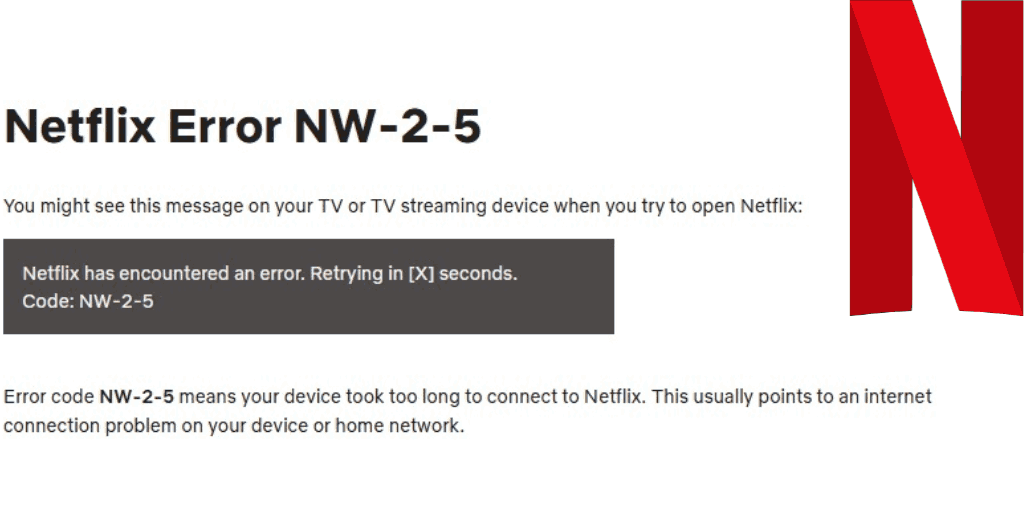
If Netflix suddenly refuses to load and throws up Netflix error code nw-2-5, it usually means one thing: your device can’t properly reach Netflix over the internet. The app itself isn’t broken, your account isn’t the issue, and you’re not alone. This error shows up on smart TVs, streaming devices, game consoles, and even browsers.
The frustrating part is that it doesn’t always point to one obvious cause. Sometimes it’s your Wi-Fi. Other times it’s the network you’re connected to, a VPN, or a temporary hiccup that Netflix can’t recover from on its own.
Let’s break this down in a way that actually helps.
What the NW-2-5 Error Means
When you see Netflix nw-2-5, Netflix is telling you that your device can’t establish a stable connection to its servers. In simple terms, the app is trying to load, but something between your device and the internet is blocking or interrupting that connection.
You’ll usually see a message like:
“Netflix has encountered an error. Retrying in X seconds.”
That retry almost never works on its own, which is why manual steps matter here.
Start With the Quick Fixes
Before you dig deeper into settings, try out the basic fixes. These resolve the issue more often than you’d expect.
First, press Try Again on the error screen. It sounds obvious, but temporary connection drops do happen.
If that doesn’t work, restart the device you’re using to watch Netflix. If the device has a sleep mode, fully power it down instead of just putting it to sleep. In some cases, unplugging it for about a minute helps clear cached network issues.
Once it’s back on, check that your device is actually connected to the internet. Open another app or website that requires a connection. If that doesn’t load either, Netflix isn’t the problem yet.
Check Your Internet Connection Properly
Netflix code nw-2-5 error almost always traces back to connectivity. If you are using a phone, tablet, or laptop, toggle the Airplane Mode on and off to reset the connection. On TVs or consoles, disconnect from Wi-Fi and reconnect manually.
If you’re connected through a shared network like a hotel, university, or workplace, streaming may be blocked entirely. These networks often limit bandwidth, which can trigger Netflix code nw 2 5 even when everything else seems fine.
If you control your home network, move on to restarting it.
Restart Your Home Network
Turn off your modem and router. If they’re separate devices, power both down. Unplug them for at least 30 seconds, then plug them back in and wait until the internet is fully restored.
This step alone resolves a large number of nw-2-5 Netflix cases, especially if your network has been running for a long time without a restart.
Disable VPNs and Network Filters

If you’re using a VPN, try disconnecting the VPN. Netflix often struggles to load when traffic is routed through a VPN, even if other apps work fine.
Some internet service providers also use parental controls or content filters at the network level. These can interfere with Netflix’s ability to stream. If you’ve enabled any restrictions on your router, temporarily disable them and test again.
Improve the Connection Quality
Weak Wi-Fi can trigger code nw 2 5 even if your device technically shows as connected.
If possible, try a wired Ethernet connection. It’s the most reliable option for streaming. If you’re sticking with Wi-Fi, move your device closer to the router and avoid interference from walls or other electronics.
Another useful test is connecting your device to a different network temporarily. For example, if Netflix won’t load on your TV, connect it to your phone’s hotspot just to see if the error disappears. If it does, your home network is the source of the problem.
Reinstall Netflix or Clear Browser Data
If the connection looks solid but Netflix still fails, reinstall the app on your device. This clears corrupted data that sometimes causes Netflix code nw-2-5 to stick around.
If you are watching through a browser, close Netflix completely and clear the cache before reopening it. Old session data can interfere with streaming.
When to Contact Support

If you have tried everything and still see Netflix code nw-2-5, the issue may be outside your control.
At this point, contact Netflix customer service to confirm whether there’s a temporary service issue. If Netflix confirms everything is working on their end, the next step is calling your internet service provider. Hardware issues with routers or modems are rare, but ISP-side problems do happen.
If the error resolves on its own after some time, that’s usually a sign the ISP was at fault.
What Causes the NW-2-5 Error
At its core, Netflix error code nw-2-5 is a network communication problem. Your device isn’t able to reach Netflix properly because of:
- An unstable internet connection
- Network restrictions
- VPN interference
- Router or modem issues
- App-level corruption
It can appear on nearly any Netflix-capable device, including smart TVs, consoles, streaming boxes, and Blu-ray players.
Final Thoughts
This error looks serious, but it’s usually fixable without replacing anything. In most cases, restarting your device and network, disabling VPNs, or switching networks briefly is enough to get Netflix working again.
If you keep running into this issue, it’s worth checking your home network setup or talking to your internet provider. Netflix errors like this are rarely random, they just don’t always explain themselves well.
Read Also